When orders stop syncing or a panel will not open, the first question is whose side the problem is on. The Perfect Panel status page on smm.guide answers it: it shows whether panel websites, the public API and the Admin API work right now, and what happened to each of them over the last 90 days. smm.guide runs the page independently of Perfect Panel.
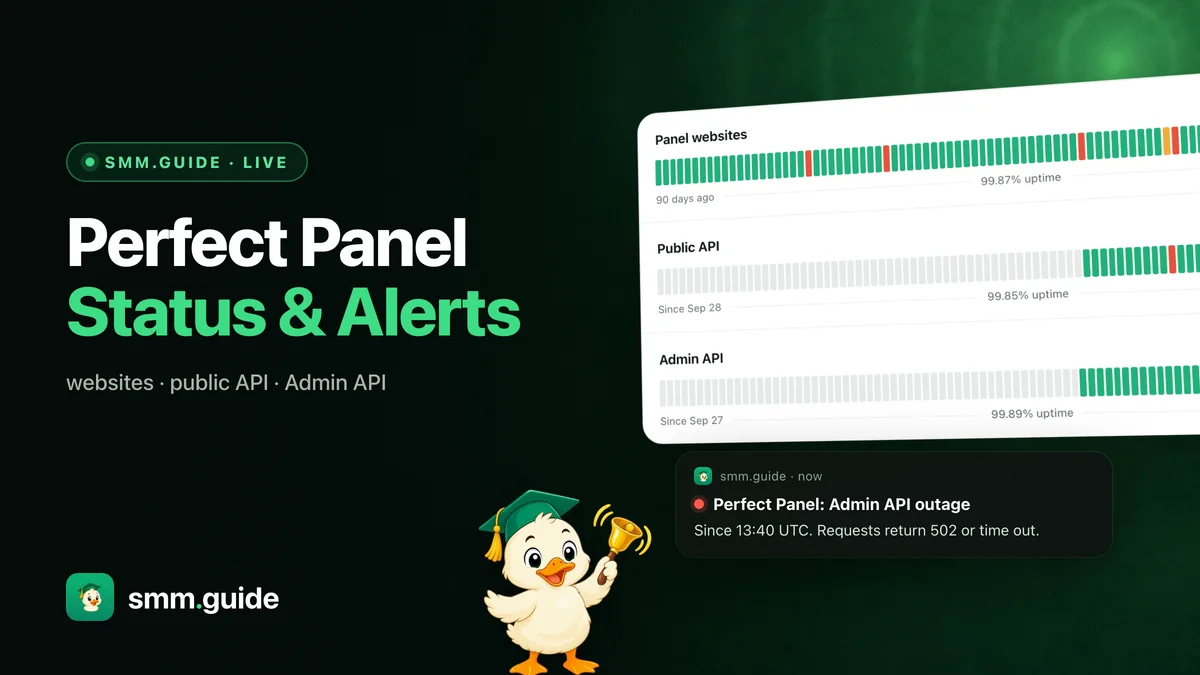
As of November 2, 2026 the page held 11 incidents. Uptime on record: panel websites 99.87% over 90 days, the public API 99.85% and the Admin API 99.89% since late September.
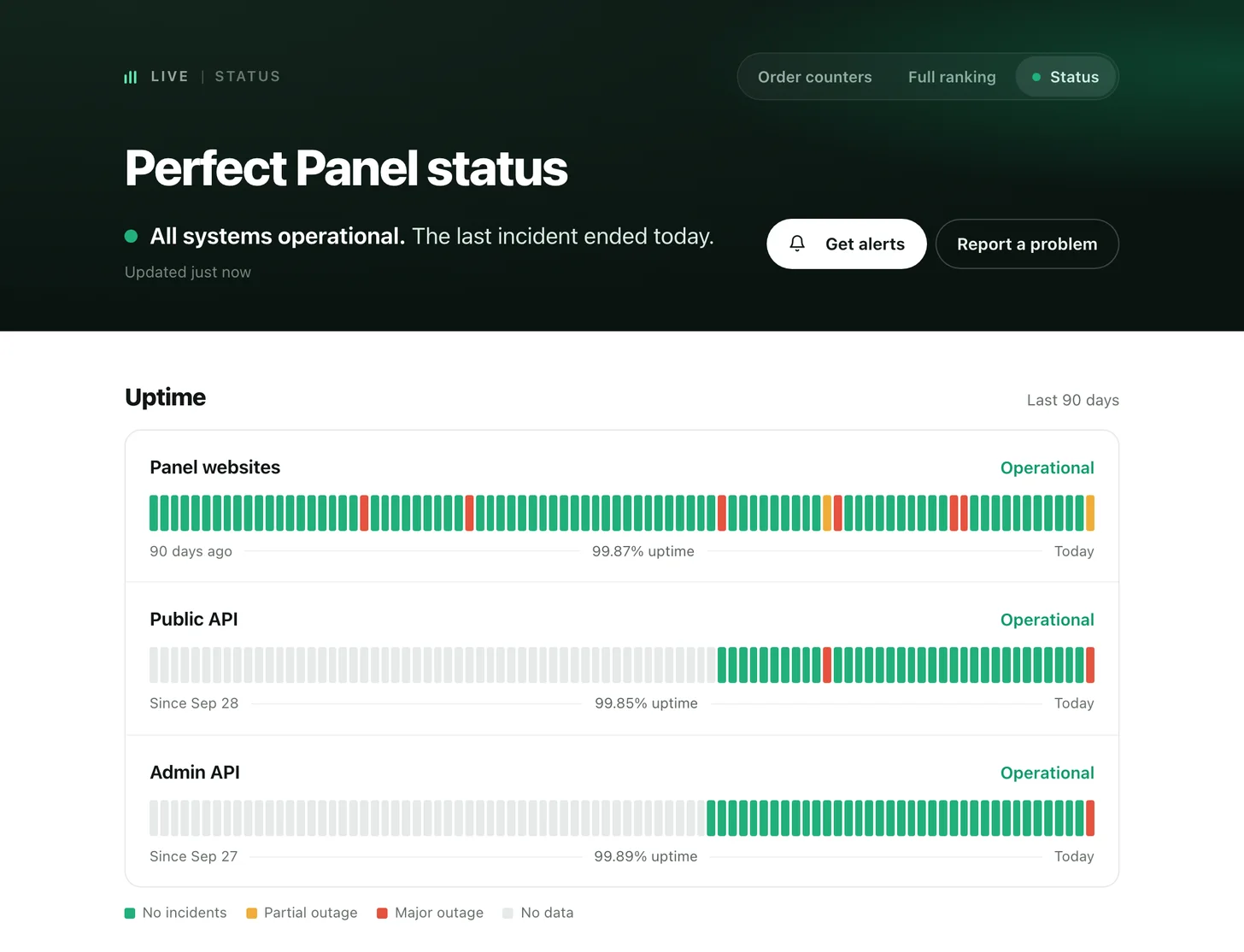
The top of the page: the state in one sentence, then 90 days of uptime for each part.
Three parts, each on its own line
Perfect Panel can fail in one place and keep working in another, so the page follows three parts separately:
November 2 shows why the split matters. Panel websites had errors from 13:31 to 13:49 UTC and recovered in 18 minutes. The public API failed from 13:31 to 14:42 UTC, the Admin API from 13:40 to 14:37 UTC. For about an hour the panels opened, but API requests kept failing.
90 days of history
Each bar is one day: green with no incidents, orange with a partial outage, red with a major one. Hover over a bar, or tap it on a phone, to see that day's incidents with their start and end times.
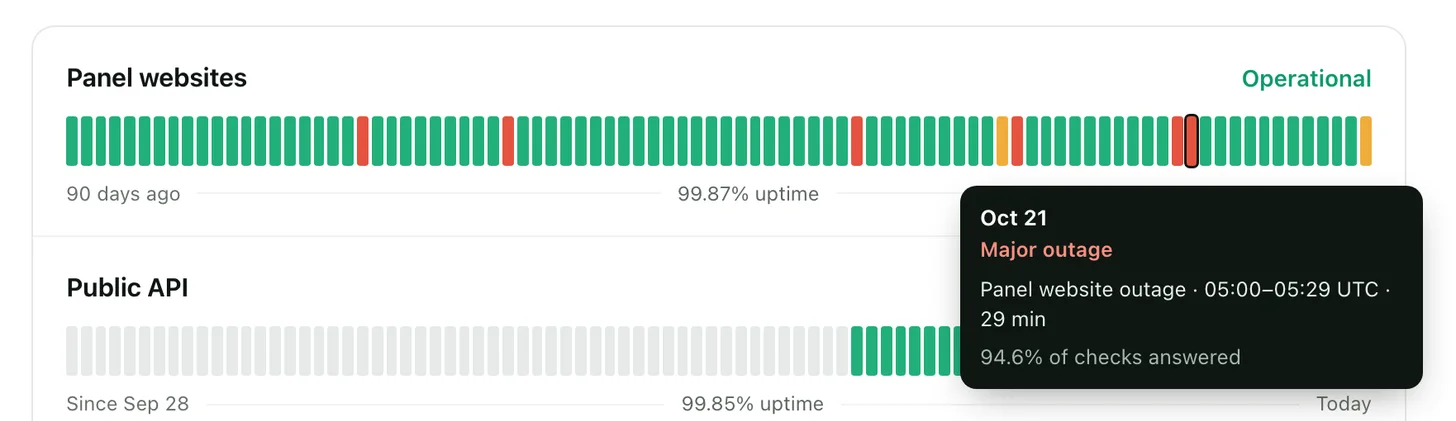
October 21: a major outage of panel websites, 05:00 to 05:29 UTC.
Below the bars, the incidents of the last seven days are listed by day: when each one started, what failed and when it ended. The incident history holds all 90 days. Panel websites have the full 90 days on record, the public API and the Admin API since late September.
Alerts by email or Telegram
Turn them on in Settings → Notifications. You get one message when an incident starts and one when it ends. If it fails again after the end, you get one more.
- Email goes to your account address once it is confirmed. Each letter has an unsubscribe link.
- Telegram messages come from @smmpanel_guide_bot: press the switch, then Start in the bot. The chat is linked for alerts only and no sign-in codes are turned on. Each message has a Turn off button.
- What to watch: all three parts, or only the ones you depend on.
No account? Press Get alerts on the status page and leave your email: the alerts start once you confirm it in the letter.
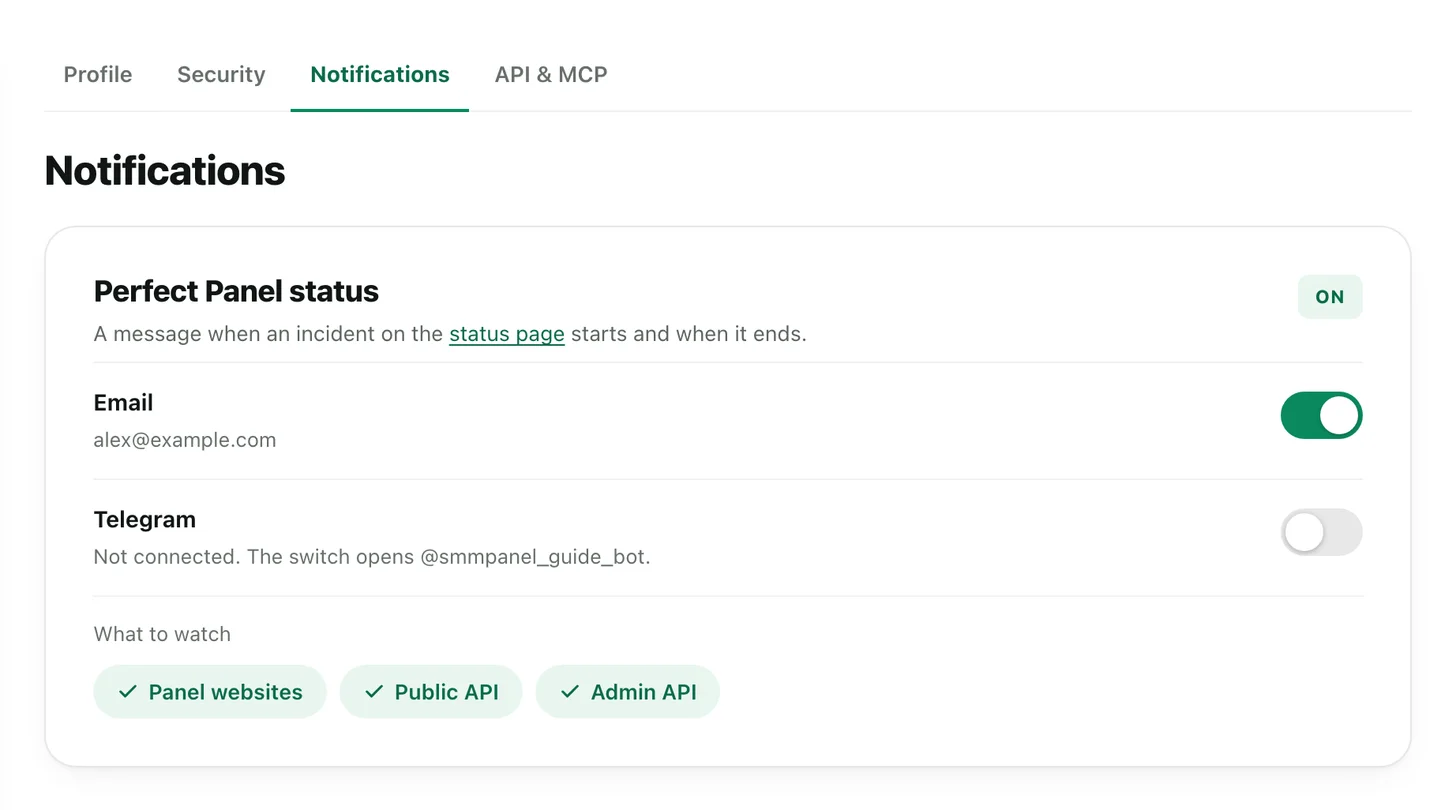
Settings → Notifications: email, Telegram and the parts to watch.
Anyone can send /status to the bot to see the current state.
Report what you see
If a Perfect Panel site or API fails for you while the page shows no incident, press Report a problem on the page and say what fails and where. No account is needed.
RSS and JSON
Incidents are also published as an RSS feed, and the current state as status.json for scripts and dashboards.